Mobile E-Commerce UX Best Practices: How to Build a Mobile Experience That Converts


Mobile e-commerce UX best practices focus on making it easier for shoppers to find the right products, compare options, add items to their cart, and complete checkout without unnecessary friction. A mobile store can look polished and still lose sales if navigation feels confusing, search returns weak results, product pages are difficult to scan, or checkout requires too much effort.
For e-commerce founders, mobile UX should therefore be viewed as a conversion issue, not just a design task. The goal is not simply to make a desktop store fit a smaller screen. It is to create a mobile shopping journey that helps customers move from product discovery to purchase with fewer barriers.
Baymard’s mobile e-commerce research reinforces this point by evaluating usability across navigation, search, product pages, cart, and checkout rather than treating mobile design as a single interface problem.
Key Takeaways:
Strong mobile e-commerce UX reduces friction from product discovery through checkout
Search, navigation, product pages, cart, and checkout can all influence whether shoppers continue or leave
Limited screen space makes clear information hierarchy and product relevance especially important
Mobile checkout optimization should minimize unnecessary typing, steps, and interruptions
E-commerce UX optimization should be guided by customer behavior and conversion data, not visual changes alone
Why Mobile E-Commerce UX Matters for Conversion
Mobile shoppers have less screen space, less context, and often less patience for unnecessary friction. That makes every interaction more important.
Several mobile-specific constraints can directly affect conversion:
Limited screen space: Shoppers can see fewer products, filters, and details at once
Touch-based interactions: Small buttons, crowded menus, and difficult controls can make navigation frustrating
Frequent journey switching: Customers often move between search, product listings, PDPs, cart, and checkout before buying
Extra taps create friction: Every unnecessary step increases the effort required to complete a purchase
Traffic does not guarantee revenue: High mobile traffic means little if shoppers cannot find products or complete checkout easily
This is why mobile UX should be treated as part of conversion optimization, not just interface design.

A simple way to view the mobile journey is
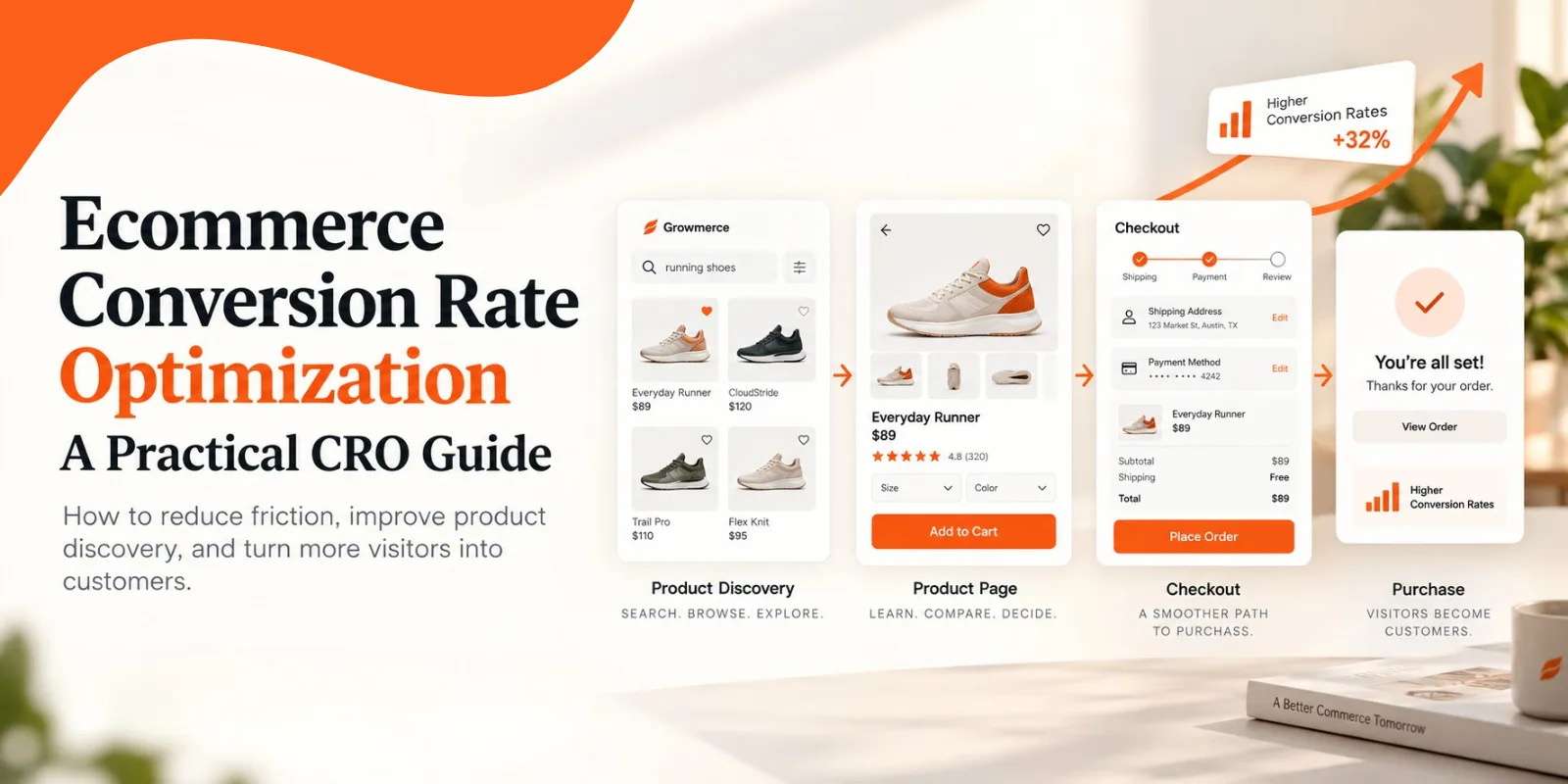
Search/Navigation → Product Discovery → Product Evaluation → Cart → Checkout → Purchase
8 Mobile E-Commerce UX Best Practices That Improve the Shopping Journey
The strongest mobile e-commerce experiences make it easier for shoppers to move from intent to purchase. That means optimizing more than page design. Search, product discovery, product evaluation, cart behavior, and checkout all need to work together.
1. Make Product Discovery the First Priority
Product discovery should be one of the first areas founders evaluate when reviewing mobile UX.
On a small screen, shoppers have less room to browse, compare, and backtrack. Search should be easy to find, categories should be clearly organized, and menus should not force users through unnecessary layers.
Focus on:
Keeping search visible and easy to access
Simplifying category navigation
Reducing excessive menu nesting
Helping shoppers reach relevant products quickly
Treating site search as a conversion pathway, not just a utility
If customers cannot find the right product, improvements further down the funnel will have limited impact.
Baymard’s mobile e-commerce research reflects this by treating navigation, search, autocomplete, filtering, product lists, and query handling as major parts of the mobile shopping experience.
2. Design Mobile Search Around Shopper Intent
Mobile search should help shoppers express what they mean, not force them to guess the exact language used in your catalog.
A shopper might search for:
“black dress under $100”
“gift for someone who loves coffee”
A misspelled product name
A synonym your catalog does not use
A product based on size, color, use case, or another attribute
This is where e-commerce mobile user experience moves beyond basic keyword matching.
A better search experience should support:
Autocomplete
Relevant product ranking
Typo tolerance
Synonym recognition
Attribute-based queries
Better handling of zero-result searches
Easy search refinement
The shift is simple:
Keyword matching → intent understanding
That reduces the chance that a high-intent shopper reaches a dead end.
3. Make Product Lists Easier to Compare
Mobile shoppers should be able to understand a product list without opening every item.
Product cards should surface the information needed to decide whether a product is worth exploring further.
Prioritize:
Clear product images
Product names and prices
Important variants or attributes
Useful sorting options
Mobile-friendly filters
Clearly visible applied filters
Easy ways to remove or adjust filters
A shopper should not need to open ten PDPs just to figure out which three products match what they are looking for.
4. Build Product Pages Around Purchase Decisions
A mobile PDP should answer the shopper’s most important buying questions quickly.
Place purchase-critical information high on the page, including:
Product name
Price
Product images or video
Variant options
Availability
Shipping information
Returns
Reviews or social proof
Primary add-to-cart CTA
Secondary information can appear further down the page through expandable sections or other forms of progressive disclosure.
The key principle is prioritization. A mobile PDP does not need to show everything immediately. It needs to show the right information at the right point in the decision.

5. Design Mobile Interactions for Touch
Desktop interactions do not always translate well to touchscreens. Nielsen Norman Group’s research on touch target usability notes that adequately sized and spaced interactive elements help users tap more accurately and reduce accidental selections.
Buttons, filters, menus, and product controls should therefore be easy to tap without requiring precision.
That means:
Giving tap targets enough space
Avoiding tightly packed controls
Using sticky CTAs where useful
Reducing accidental taps
Avoiding intrusive pop-ups
Keeping interactive patterns predictable
Small interaction problems may look insignificant individually, but repeated friction can quickly damage the shopping experience.
6. Make Page Speed Part of E-Commerce UX
Slow pages interrupt momentum, especially when shoppers are moving between search results, filters, PDPs, and cart pages.
Teams can also use Google's Core Web Vitals as a technical framework for evaluating loading performance, responsiveness, and visual stability.
Pay attention to:
Heavy images
Excessive scripts
Slow filter responses
Delayed search results
Layout shifts
Unresponsive interactions
Perceived speed matters too. Clear loading states and responsive feedback can make an experience feel smoother even when content still requires time to load.
Performance optimization and UX optimization should support the same goal: keeping the shopper moving.
7. Remove Friction From the Mobile Cart
The cart should help shoppers confirm their purchase, not create another layer of complexity.
Make it easy to:
Change product quantities
Remove products
Review totals
See shipping expectations
Understand additional costs
Return to shopping without losing the cart
Avoid introducing unexpected fees or information late in the process whenever possible.
A useful distinction is
The cart should answer: “Am I ready to buy this?”
The checkout should answer: “How easily can I complete the purchase?”
8. Simplify Mobile Checkout
Mobile checkout optimization should focus on reducing unnecessary work at the final stage of the funnel.
That includes:
Offering guest checkout
Reducing required fields
Showing the correct mobile keyboard for each field
Providing clear validation
Supporting convenient digital payment options
Showing a clear order summary
Making progress through checkout visible
Avoiding forced account creation
Every extra field or decision adds effort when purchase intent is already high.
The goal is not simply to shorten checkout. It is to remove anything that does not meaningfully help the customer complete the transaction.
The next step is turning these UX principles into a repeatable CRO process. Rather than treating mobile improvements as isolated design fixes, teams should use behavioral data to identify friction, prioritize high-impact opportunities, and measure whether each change actually improves the shopping journey.
A Practical Mobile E-Commerce UX Optimization Framework
A strong mobile UX strategy should be treated as a continuous optimization cycle rather than a one-time redesign.
Use this simple framework:
Find friction: Review analytics, search data, session recordings, and customer behavior to identify where shoppers struggle or drop off
Prioritize: Focus first on problems closest to revenue, especially product discovery, PDP engagement, cart activity, and checkout
Fix: Address one meaningful source of friction at a time instead of changing the entire experience at once
Measure: Track changes in engagement, add-to-cart rate, checkout completion, and conversion
Repeat: Reassess regularly as customer behavior, products, and shopping patterns evolve

E-commerce UX optimization is not a redesign project with a finish date. It is an ongoing conversion process.
How Growmerce Can Support Mobile E-Commerce CRO
Mobile CRO is not only about improving checkout. Product discovery also plays a major role in whether high-intent shoppers continue toward purchase.
Growmerce is designed to improve this part of the funnel by helping e-commerce stores understand what shoppers mean, not just the exact keywords they type. It can interpret natural-language queries, account for attributes, synonyms, and context, and rank products based on relevance.
For mobile shoppers, this can help reduce friction when they:
Use conversational or detailed search queries
Enter different terminology than the catalog uses
Search by product attributes or intent
Encounter queries that might otherwise return weak or zero results
The CRO value comes from measurement as well. Growsearch reports on search-attributed revenue, add-to-cart activity, zero-result rate, and the queries shoppers use.
That gives e-commerce teams another way to identify where product discovery is helping conversion—and where search friction still needs attention.
Conclusion
Mobile UX should not be optimized simply because mobile traffic is important. It should be optimized because every stage of the journey can influence whether customer intent turns into revenue.
Founders and e-commerce teams should focus on:
Making products easier to find
Helping shoppers compare options quickly
Reducing friction on PDPs, cart, and checkout
Using behavioral and conversion data to prioritize improvements
Treating search as a high-intent part of the customer journey
Search deserves particular attention because it often reflects clear purchase intent. When mobile search better understands what shoppers mean and teams can measure what happens next, product discovery becomes both a UX opportunity and a measurable part of CRO.
FAQs
1. What are the most important mobile e-commerce UX best practices?
The most important mobile e-commerce UX best practices include simple navigation, strong site search, easy filtering, clear product pages, fast performance, low-friction carts, and streamlined mobile checkout.
2. How can I improve the e-commerce mobile user experience?
Start by identifying where mobile shoppers drop off. Then improve the highest-friction areas, such as search, filters, PDPs, cart interactions, page speed, and checkout.
3. Why is mobile UX important for e-commerce conversion rates?
Mobile UX affects how easily shoppers move from product discovery to purchase. Friction at any stage can reduce add-to-cart activity, checkout completion, and overall conversion performance.
4. What is mobile checkout optimization?
Mobile checkout optimization is the process of reducing friction during checkout by simplifying forms, supporting autofill, offering guest checkout, showing clear totals, and minimizing unnecessary steps.
5. How does site search affect mobile e-commerce conversions?
Site search helps high-intent shoppers reach relevant products faster. Poor search results, weak relevance, and zero-result queries can interrupt the shopping journey before customers reach a product page.
6. How do you measure mobile e-commerce UX performance?
Track metrics such as mobile conversion rate, search usage, zero-result rate, search-to-PDP clicks, add-to-cart rate, cart abandonment, checkout completion, and revenue.
7. How can AI improve mobile e-commerce UX?
AI can improve mobile UX by interpreting shopper intent, handling synonyms and typos, ranking relevant products, supporting natural-language search, and helping teams identify product-discovery friction through behavioral data.